The whole expense book, in files you own.
Use it here, or download it and keep it. Either way it is the same thing — offline, on a desktop or a phone, with budgets, scoring, the full dashboard and every export.
Two files and a page telling you how to use them.
| File | Who it is for |
|---|---|
Daily-Spend-Desktop.html | The full app on a computer. The wide layout, the six-panel dashboard, spreadsheet export and printing. |
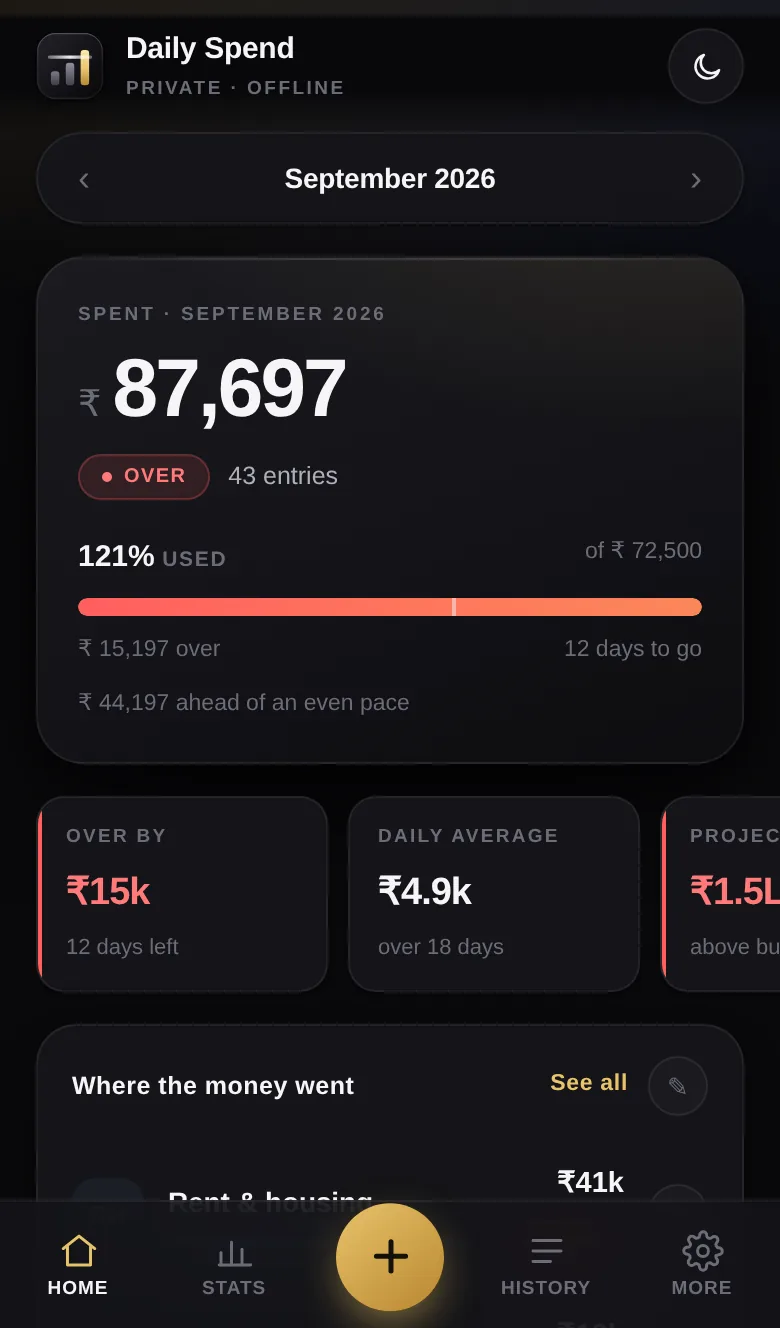
Daily-Spend-Mobile.html | The same book laid out for a phone — bottom bar, keypad entry, swipe between months. Add it to your home screen and it opens like an app. |
HOW-TO-USE.html | Everything the app does, in the order you will need it. No technical knowledge assumed. |
logo/ | The mark as SVG and as icons, in case you want it on a shortcut. |
In the free edition
- Eleven categories, each with its own monthly budget, all editable
- Scoring — on track, watch, over — with thresholds you set
- Pace against the calendar, and a projected month end
- Budgets filled from your own six-month history, one button
- The full six-view dashboard
- Search, filter and cross-month date ranges
- Spreadsheet, CSV, PNG, PDF and JSON backup
- Dark and light themes
- Indian or western digit grouping
- Phone version installable to the home screen
Not in the free edition
- Sync. Each device keeps its own book. Moving between them is a backup and a restore, done by you.
- Receipt photographs. Images need somewhere to live that is not your phone.
- Recurring expenses. Nothing here is awake to post the rent on the first.
- Alerts. A nudge when a category is about to go over needs a server that is running when you are not.
- A shared book. Two people, one set of figures, needs an account each.
- Sign-in. There is none. Anyone who can open the file can read it.
All six of those are what the cloud version is for. None of them are missing to make you pay — they are missing because they genuinely cannot be done by one file on one device.
Two minutes, and it stops looking like a web page.
On an iPhone
- Open spend.auditlogin.com/mobile/ in Safari. It has to be Safari — Chrome on iOS cannot do this.
- Tap the Share button, the square with the arrow.
- Scroll down and tap Add to Home Screen.
- Tap Add. It is now an icon, and it opens full screen with no address bar.
On Android
- Open spend.auditlogin.com/mobile/ in Chrome.
- Chrome usually offers to install it at the bottom. If it does, tap that.
- If it does not, tap the three dots and choose Install app or Add to Home screen.
- It appears in your app drawer like anything else.
Please read this one.
Write a backup, regularly
Settings → Backup & data → Write a backup file. One JSON file with every expense, category, budget and setting in it. Keep it somewhere that is not that device — email it to yourself, drop it in a cloud folder, anything.
Restoring is the same screen
Settings → Backup & data → Restore from a backup. It replaces what is there now, and it reads a file written by either the desktop or the phone edition.
Questions people actually ask.
Do the two files share data?
No. A file opened from your disk and a page opened from the web are separate places as far as the browser is concerned, and two different files are separate again. Pick one as your real book. If you want both, move between them with a backup, or use the cloud version, where this problem simply does not exist.
Is the downloaded file the same as the one on the site?
The same app, yes. The difference is only where it lives, and therefore where its data lives. The version on the site can be added to a home screen; the downloaded file cannot.
Do I need to know any code?
No. Unzip, double-click, use it. There is nothing to configure and nothing to deploy.
Can I send it to someone else?
Yes. Send them the file or send them the link, whichever is easier. There is no licence key and no per-seat anything.
Will it keep working if this site disappears?
The downloaded files will, indefinitely — they do not contact us. That is the main argument for downloading them rather than bookmarking the page.
Take it. It is yours.
One zip, 175 KB. No email address, no form, no newsletter.